
Repair Ticket Management
Create guided repair tickets with customer, device, issue, part, and assignment details. Track status changes, notes, technicians, and pickup readiness without losing the repair history.
Keep every repair connected from customer check-in to final payment. RepairTicket brings tickets, devices, parts, sales, invoices, and customer records into one organized workspace.
A repair job creates more than a ticket. It also creates customer details, device records, technician notes, parts movement, payments, invoices, and pickup history. RepairTicket keeps those records together so your team does not have to rebuild the story from paper slips, spreadsheets, and separate apps.
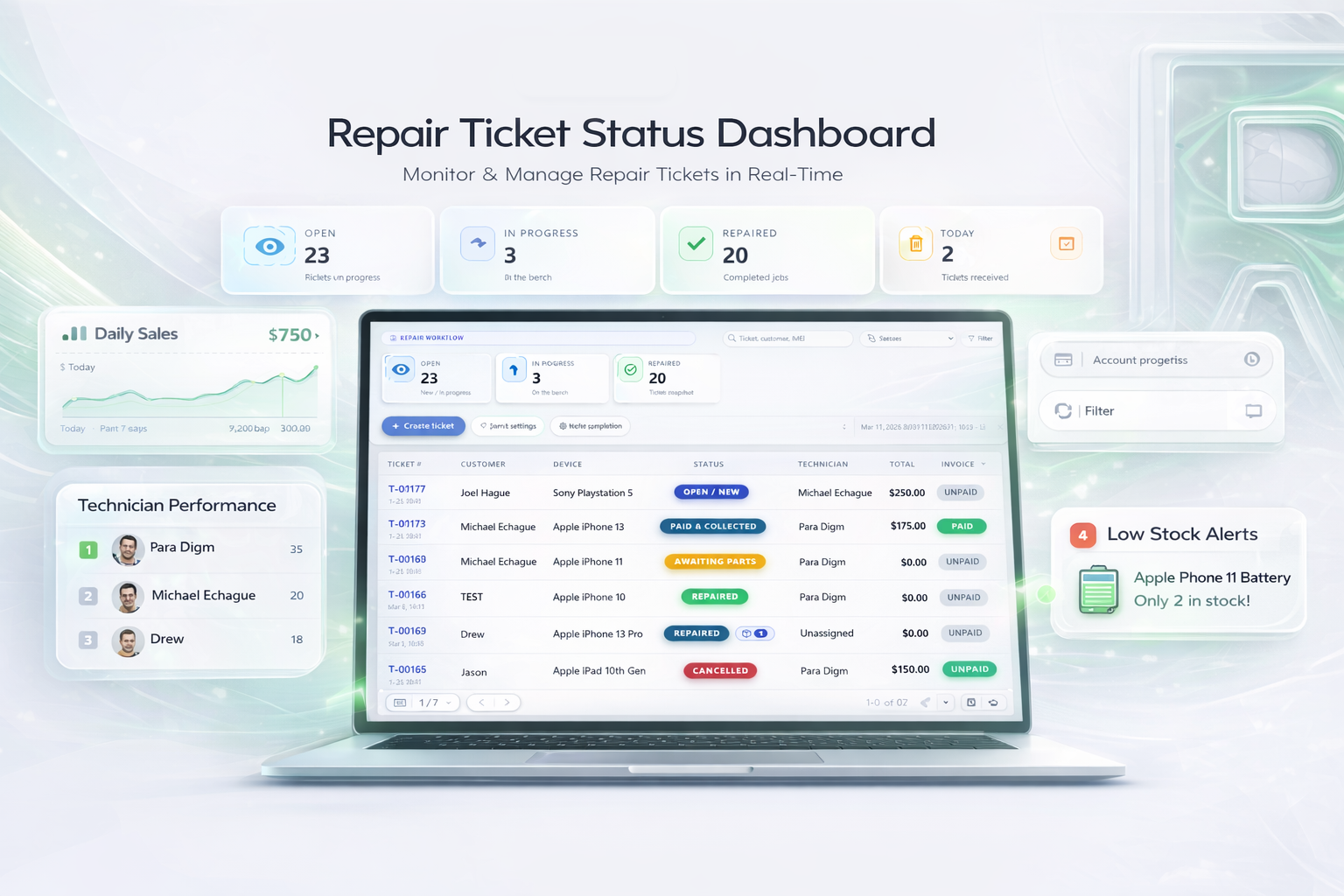
Each area shares the same shop records, which means fewer duplicate entries and a cleaner handoff between the counter, technicians, managers, and checkout.
Create guided repair tickets with customer, device, issue, part, and assignment details. Track status changes, notes, technicians, and pickup readiness without losing the repair history.
Keep customer information, device identifiers, previous repairs, invoices, and balances connected. Staff can find the right history without creating another disconnected record.
Move a repair ticket into checkout, sell parts or accessories, take cash, card, or split payments, and manage estimates, invoices, refunds, expenses, layaway, special orders, gift cards, receipts, and customer balances.
Search stock, connect parts to repair work, monitor inventory movement, and maintain a repair catalog for device categories, brands, models, issues, parts, and common tasks.
Assign work to technicians and keep branch activity separated. Role-aware access helps each staff member work within the areas and locations assigned to them.
Review repair volume, payments, sales, inventory activity, and operational results from records created during normal shop work rather than rebuilding reports afterward.
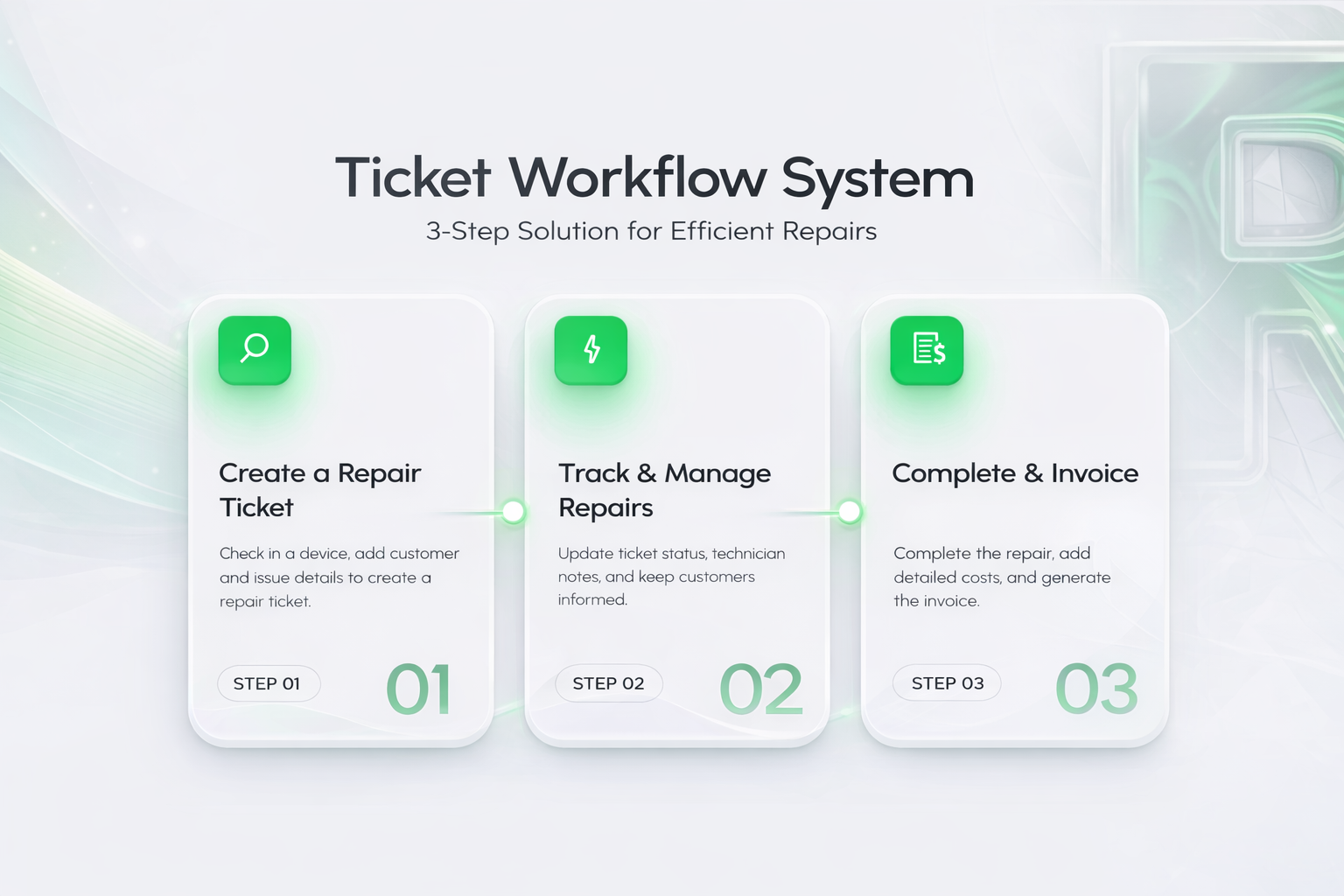
Capture the information the bench needs before work begins.
Keep the reported problem, planned work, parts, and technician on the same job.
Let the team see what is new, in progress, awaiting parts, repaired, or ready for pickup.
Complete checkout while preserving the repair, customer, and payment history.
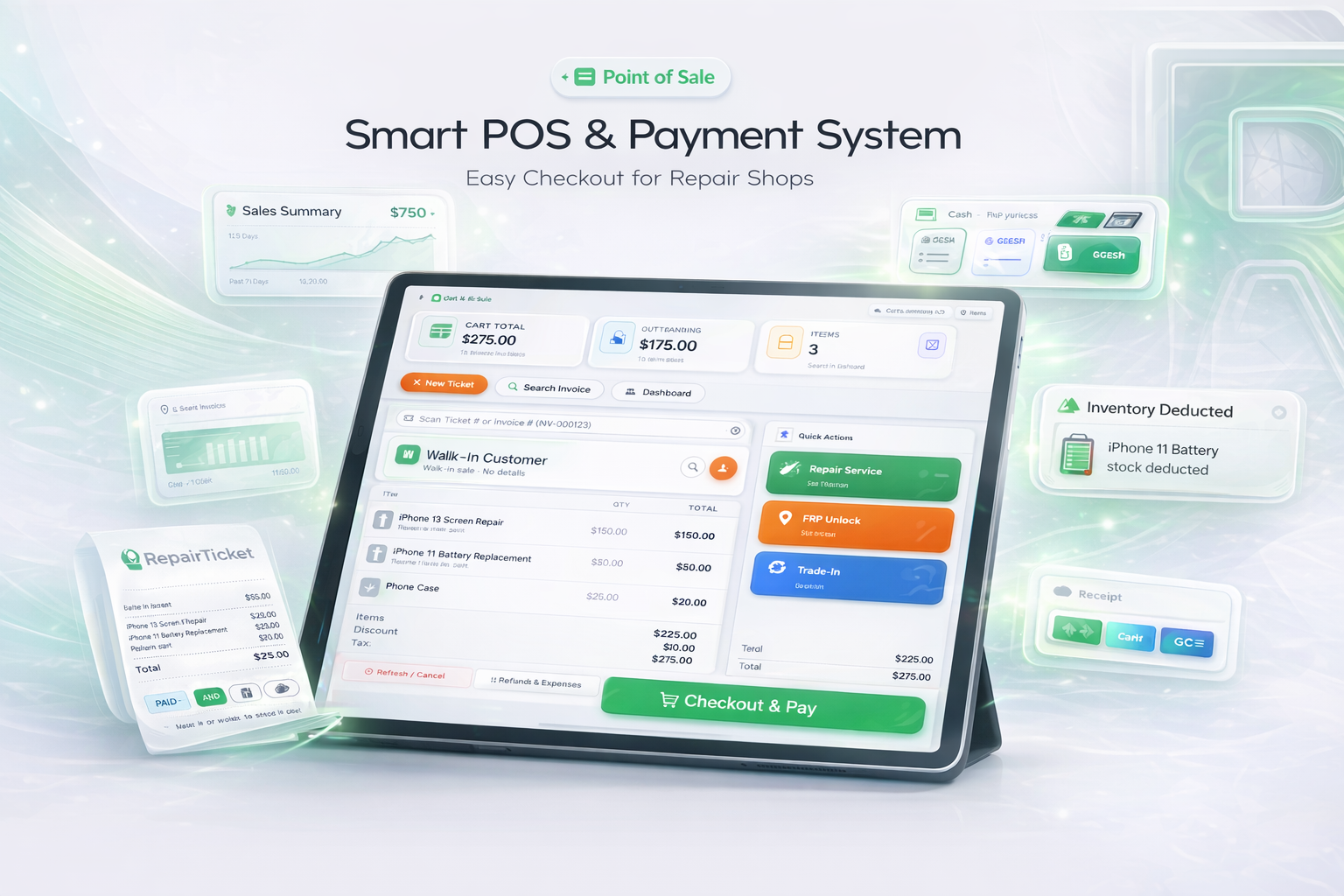
Search a ticket or invoice, see the selected customer, review balances and active work, add stock items, create an estimate, or continue to payment from one counter workspace.

Maintain device categories, brands, models, mapped parts, issues, and repair task types so common repair details are easier to select and reuse during intake.

Open the branch you need, keep tickets, POS, inventory, and reports in the correct location, and compare activity across two or more branches from one workspace.

Design, sell, and activate electronic gift cards with balance history, partial use, and branch-aware redemption built into the same system used at checkout.
RepairTicket POS handles the real situations that happen at a busy counter—not only a cash sale. Take mixed payments, manage deposits and balances, correct transactions responsibly, and produce customer-ready documents without rebuilding the sale in another system.
Accept cash, card, and other configured methods, split one total across multiple tenders, collect partial payments, and keep the outstanding balance clear.
Refund paid invoices and eligible deposits to the correct tender, record accountable shop expenses, return stock correctly, and keep a searchable history.
Take deposits for requested products, track remaining balances and expected arrival details, accept follow-up payments, and manage release or refund flows.
Create a professional estimate without collecting payment or deducting stock, add a validity date and customer note, then preserve it for the next step.
Give customers a clear printed receipt, save a PDF, or email the official document directly from the transaction with branch-authorized details.
Produce technical reports and operational reporting with print-ready A4 layouts, alongside EOD, tender, sales, collection, inventory, and performance visibility.
Use the arrows or drag to explore each workflow.

Build the tender combination that matches the actual customer payment.

Correct transactions with a clear reason, payment allocation, and history.

Record the requested product, supplier details, expected arrival, and balance.

Confirm the down payment while keeping the remaining balance visible.

Send the official receipt from the transaction without leaving the POS.
Also included: estimates, professional printed and PDF receipts, A4 technical reports, ticket and invoice lookup, live customer context, inventory search, gift cards, branch switching, customer balances, stock deduction, sales reporting, EOD controls, and more.
RepairTicket was built from 24+ years of hands-on experience as a mobile phone technician. Nearly 14,000 repair tickets have been logged in the founder's own repair operation, giving the platform a practical reference point for the records, handoffs, and exceptions repair shops deal with every day.
Read Our StoryStart with one branch and add more only when your business needs them.